
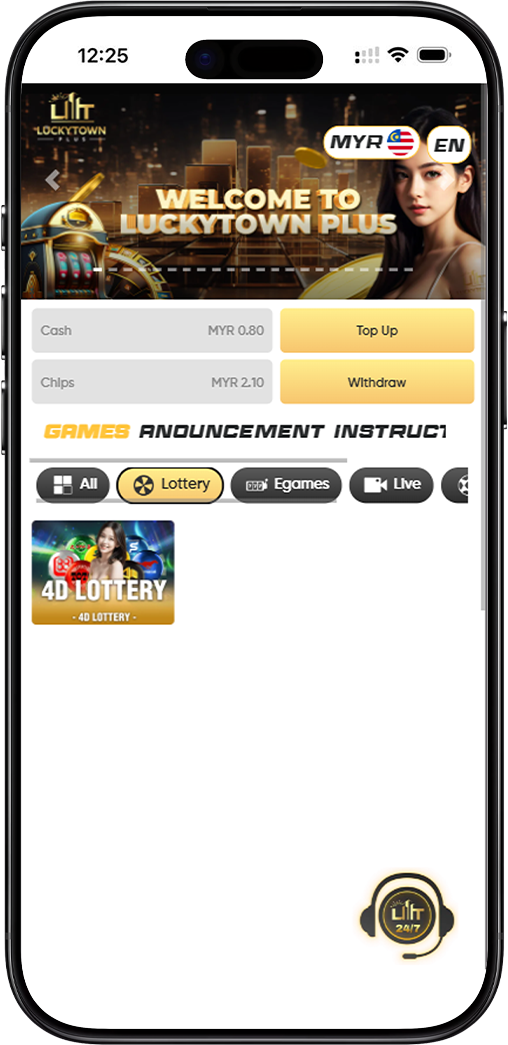
Wide Range of Lottery Platforms Available at LUCKYTOWN
LUCKYTOWN offers access to Malaysia's most popular 4D lottery platforms, including Magnum, Toto, Damacai, Singapore Pools, Sabah 88, Sandakan STC, Sarawak Da Wan, Grand Dragon, and 9Lotto. Each platform is easily selectable using its own unique platform code, streamlining your betting experience within the LUCKYTOWN ecosystem.
Multiple Betting Options for a Customized Experience
Choose from a variety of betting types and purchase forms to tailor your 4D betting strategy. Whether you prefer Single, Return, Box, i-Box, or PH purchases, LUCKYTOWN provides all the options you need to bet with confidence.
Step-by-Step 4D Lottery Betting Instructions at LUCKYTOWN
Step 1: Select "4D Lottery" from the Main Menu
After successfully logging into your LUCKYTOWN account, navigate to the lottery section and select "4D Lottery". You can review the displayed lottery odds for different platforms on this page before proceeding.
Step 2: Enter the Full Lottery Betting Interface
Click "Enter" to access the complete lottery betting interface. Browse through the catalog to select the specific lottery item you wish to bet on.
Step 3: Choose Your Preferred Lottery Platform Using Platform Codes
Select your desired lottery platform by using its corresponding platform code. Each code uniquely identifies a different lottery provider:
- M – Magnum
- P – Da Ma Tai / Damacai
- T – Toto
- S – Singapore Pools
- B – Sabah 88
- K – Sandakan STC
- W – Sarawak Da Wan
- H – Grand Dragon
- E – 9Lotto
Step 4: Select Your Desired Betting Date(s)
Choose the date for your lottery bet from the available draws. LUCKYTOWN allows you to select multiple dates if you wish to place bets on several upcoming draws in a single session.
Step 5: Enter Your Chosen 4D Numbers
Enter the specific 4D numbers you want to bet on. You can enter multiple numbers at the same time to place several bets efficiently in one go.
Step 6: Enter Your Betting Amount
Specify the amount you wish to wager for each selected number. The applicable minimum and maximum amounts will be clearly displayed based on the chosen lottery platform and bet type.
Step 7: Select Your Preferred Purchase Form
Choose your preferred purchase form from the available options to define how your bet is placed:
- Single – A standard single bet on your chosen number.
- Return – A bet with multiple chances, often covering different prize tiers.
- Box – Covers all possible permutations of your selected number.
- i-Box – A combination of Box and Straight betting.
- PH – A special purchase format with its own rules.
Step 8: Select Your 4D Betting Type
For standard 4D bets, choose the appropriate betting type to define which prize categories your bet covers:
- B – Covers First Prize, Second Prize, Third Prize, Special Prize, and Consolation Prize.
- S – Covers First Prize, Second Prize, and Third Prize only.
- 4A – Covers only the First Prize.
Step 9: For "4D SPECIAL" Bets, Choose Specialized Types
If you selected the "4D SPECIAL" bet option, you can choose from these more targeted betting types:
- 4A – First Prize only
- 4B – Second Prize only
- 4C – Third Prize only
- 4D – Special Prize only
- 4E – Consolation Prize only
- 4F – Combined coverage of First, Second, and Third Prizes
Step 10: Place Your Bet
After carefully confirming all your selections (platform, date, numbers, amount, purchase form, and betting type), click the "Bet" button to officially submit your lottery bet to LUCKYTOWN.
Step 11: Receive Bet Confirmation
The system will display a clear message confirming a "Successful bet". Your bet is now placed and will be recorded in your bet history for future reference.
How to Cancel a Lottery Bet at LUCKYTOWN
Step 1: Access Your Bet List
To cancel a placed bet, tap the three horizontal lines (menu icon) located in the upper left corner of the LUCKYTOWN app. From the menu that appears, select "Bet List".
Step 2: Find the Specific Bet You Wish to Cancel
In the Bet List, select the date of the bet you wish to cancel. Browse through your successful bet receipts for that particular date.
Step 3: Select the Bet Receipt to Cancel
Find the specific bet receipt you want to cancel and tap on it. The system will display the full details of your bet receipt.
Step 4: Initiate the Void Process
Tap on the "click here" or the void option provided, then click "void" to confirm your request to cancel the bet.
Step 5: Receive Cancellation Confirmation
The system will display your original receipt with a clear message confirming it has been "cancelled successfully". Your bet has now been voided.
Lottery Platform Codes Quick Reference for LUCKYTOWN
Complete Platform Code Guide
The code MPTSBKWHE serves as a helpful mnemonic representing all available lottery platforms at LUCKYTOWN:
- M = Magnum
- P = Da Ma Tai / Damacai
- T = Toto
- S = Singapore Pools
- B = Sabah 88
- K = Sandakan STC
- W = Sarawak Da Wan
- H = Grand Dragon
- E = 9Lotto
Quick Reference Summary for LUCKYTOWN Lottery Betting
Betting Steps Summary
Login → Select 4D Lottery → Choose platform using code (M/P/T/S/B/K/W/H/E) → Select date(s) → Enter number(s) → Enter amount → Choose purchase form (Single/Return/Box/i-Box/PH) → Choose betting type (B/S/4A or 4A-4F for Special) → Click Bet → Receive Successful bet confirmation
Cancellation Steps Summary
Tap three lines menu → Select Bet List → Choose date → Find specific bet receipt → Tap click here → Click void → See cancelled successfully confirmation
Important Notes for Lottery Betting at LUCKYTOWN
Always Review Odds Before Placing Bets
Before placing any bets, it is good practice to review the lottery odds displayed on the page. Odds may vary depending on the platform and bet type selected.
Ensure Platform Code Accuracy
Use the correct platform code (M/P/T/S/B/K/W/H/E) when selecting your lottery provider. Each code corresponds to a specific, unique lottery operator.
Be Aware of Cancellation Deadlines
Bets can only be cancelled before the official draw cutoff time. Please check the specific cutoff time for your selected platform and draw date.
Frequently Asked Questions About Lottery Betting at LUCKYTOWN
What is the difference between the "B" and "S" betting types?
The "B" betting type covers First, Second, Third, Special, and Consolation prizes. The "S" betting type covers only First, Second, and Third prizes.
What are the different "4D Special" betting types?
"4D Special" offers targeted prize coverage: 4A (First Prize only), 4B (Second Prize only), 4C (Third Prize only), 4D (Special Prize only), 4E (Consolation Prize only), and 4F (First, Second, and Third Prizes combined).
Can I bet on multiple lottery platforms at the same time?
Yes, you can place separate bets on different platforms. Each individual bet requires you to select its specific platform code (e.g., M for Magnum, T for Toto).
How will I know if my bet was placed successfully?
The LUCKYTOWN system will display a clear "Successful bet" confirmation message. You can also verify your bet by checking your Bet List.
What is the deadline for canceling a lottery bet?
Cancellation deadlines vary by lottery platform and the specific draw date. You must cancel your bet before the cutoff time displayed for that particular bet.
Where can I find my Bet List in the LUCKYTOWN app?
Tap the three lines (menu icon) in the upper left corner of the app, then select "Bet List" from the menu options.
What does the code "MPTSBKWHE" stand for?
It is a helpful mnemonic code representing all lottery platforms available at LUCKYTOWN: Magnum, P (Damacai), Toto, Singapore Pools, B (Sabah 88), K (Sandakan STC), W (Sarawak Da Wan), H (Grand Dragon), and E (9Lotto).
Start Betting on 4D Lottery at LUCKYTOWN Today!
Ready to try your luck? Follow our complete step-by-step guide to place 4D lottery bets at LUCKYTOWN. Choose from multiple platforms, betting types, and purchase forms. Start your winning journey today!
Bet on 4D at LUCKYTOWN